Our signature feature
The QR Editor
Design the poster that goes on your shop door yourself, with your logo, colors and hours. A Canva-style editor, built specifically for your booking QR.
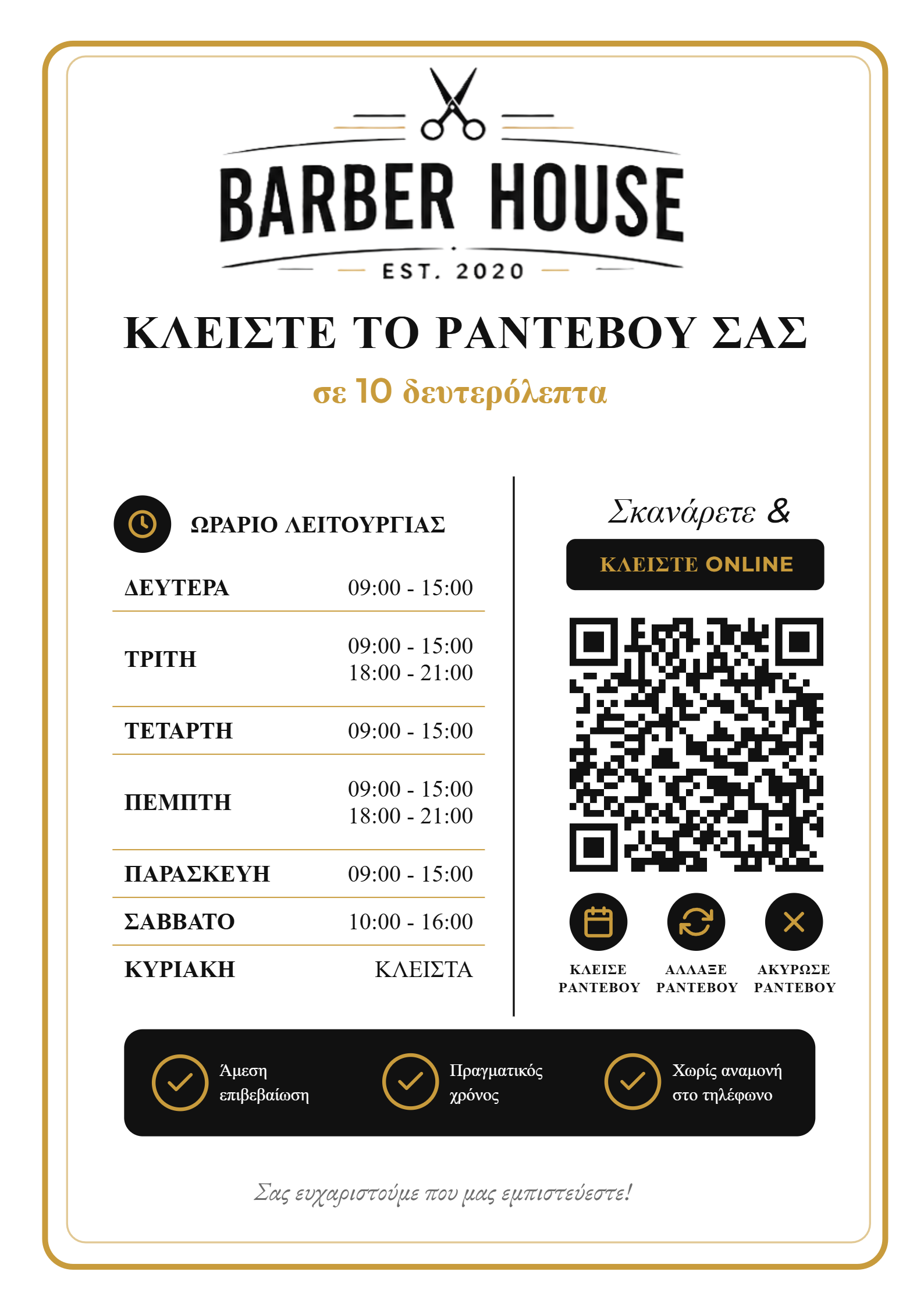
Everything you need for a poster that converts
Ready-made templates
- Start from professional designs, not a blank page
- Premium look (black & gold) ready to use
- Customize everything in a few clicks
Colors & identity
- One-click color palettes
- Eyedropper to match your exact brand color
- Fonts, sizes and layout your way
Logo & images
- Upload your logo
- Position, resize and align with guides
- Icons (book / reschedule / cancel appointment)
Opening-hours table
- Your hours fill in automatically from Settings
- Split shifts (morning/afternoon) & “CLOSED”
- Table styling: borders, lines, colors
Smart QR
- Auto-generated and links to your booking page
- Customers scan and book in seconds
- After the first booking they find you again from their account, no new scan
- Bookings from the QR are tracked (reports)
PDF & PNG export
- Print-ready A4 PDF
- High-resolution PNG for social media
- Save and re-download anytime
From design to door
01
Design
Pick a template, add your logo, colors and hours.
02
Download
Export to PDF (A4) for print or PNG for social.
03
Put it on the door
Customers scan and book appointments online.
The editor works best on a computer, for design precision. The finished poster, of course, scans from any phone.